Super Admin
The platform owner's seat — businesses, users, the onboarding pipeline, Meta credentials, billing, the Android fleet and system settings, with the delivery playbook to run it all.
Super Admin
You run the install. Everyone else lives inside one workspace; you manage all of them — creating businesses, watching onboarding progress, holding the Meta app credentials, running billing, and keeping the system healthy.
Who this is for
The company operating Zodiac Tech CRM (platform owner / technical operator). Super admin is the only role that bypasses every gate; grant it sparingly.
Prerequisites: a super admin account (is_super_admin column or the super_admin role —
the canonical check is User::isSuperAdmin()), signing in at /super-admin/login.
The daily sweep (15 minutes)
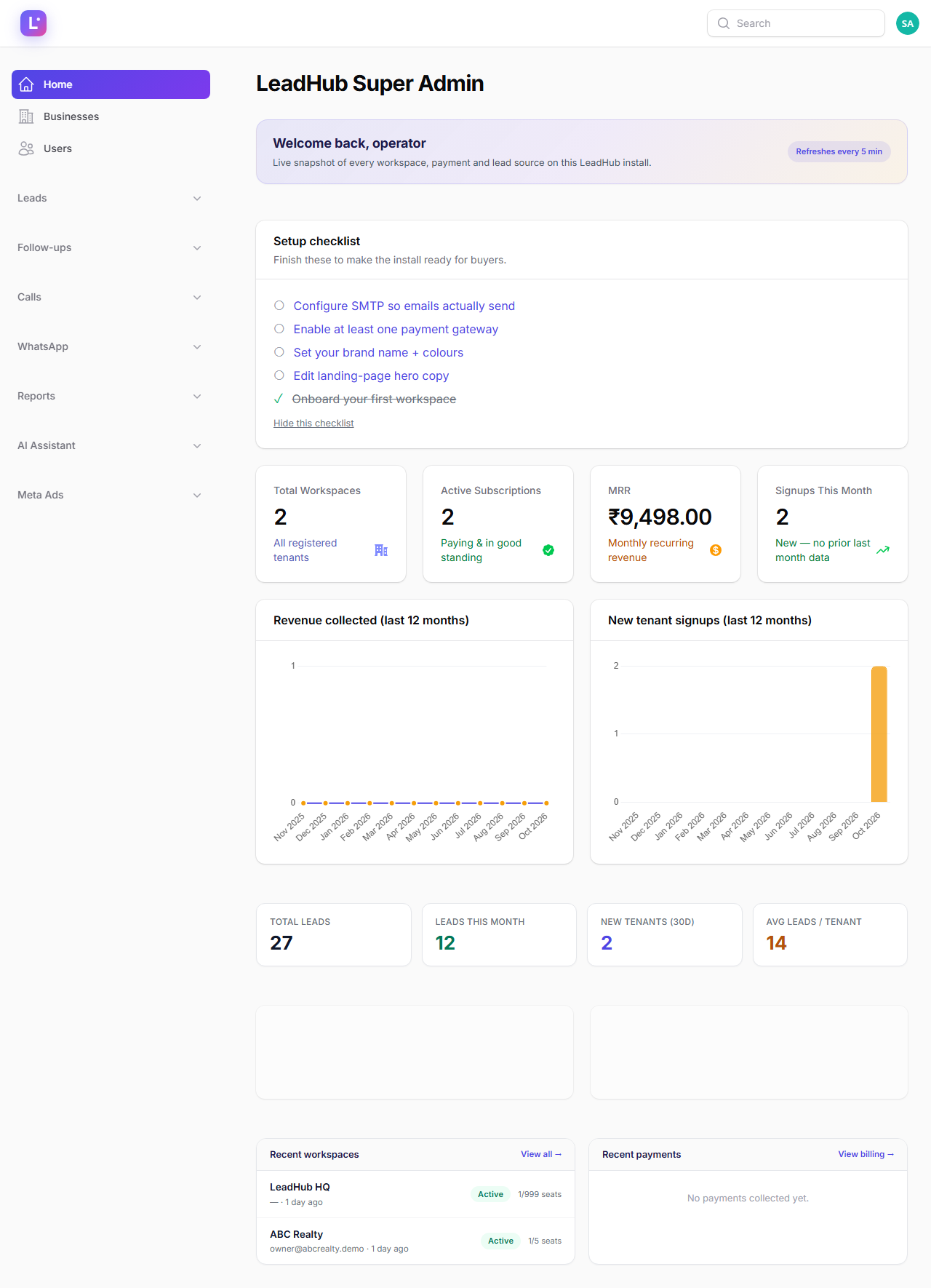
- Home (
/super-admin/dashboard) — KPIs and activity: new workspaces, recent payments, total/this-month leads. The banner tells you if a newer version is available. - Client Onboarding (
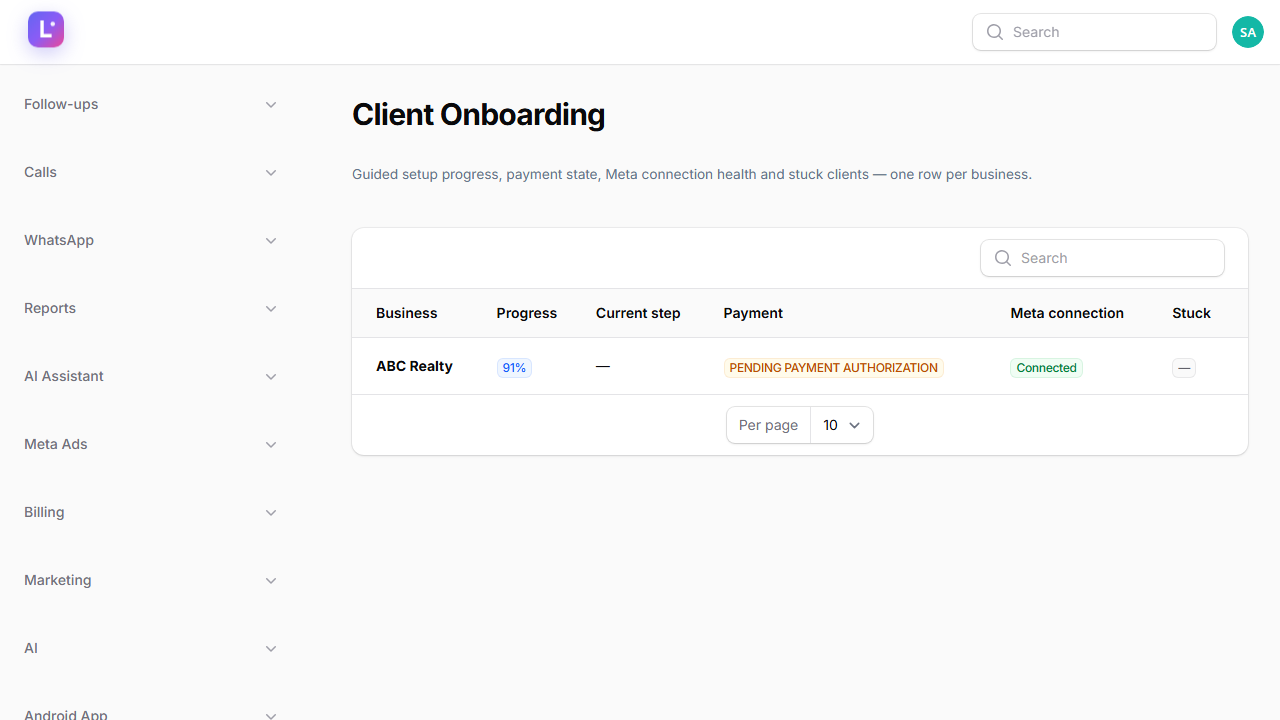
/super-admin/meta-ads/client-onboarding) — one row per business: guided progress, current step, payment state, Meta connection health, and a stuck-client warning with a one-click Request Action. A daily sweep flags stuck clients automatically at 08:15. - Meta Developer (
/super-admin/settings/meta-developer-settings) — check the health card: app credentials present and the last token check result. Webhook and token pings ride the scheduler, so a red card usually means cron is down, not that Meta broke. - Backups (
/super-admin/settings/backups) — confirm last night's backup ran (nightly at 02:00 when enabled).
Businesses (tenants)
/super-admin/tenants — the list of every Business. Per business you can:
- Create a workspace: name, slug (also the public landing URL), owner details, plan, trial dates and seat cap. The owner receives the welcome email with login details.
- Edit plan, seats, trial/subscription dates and status notes.
- Suspend / Reactivate — suspended members lose access on their next request and see the subscription-required page; the owner is notified. Suspension is reversible.
- Impersonate — sign in as the workspace to reproduce a support issue. An impersonation bar is shown for the whole session and the action is audited; never use it to make changes the client would not expect.
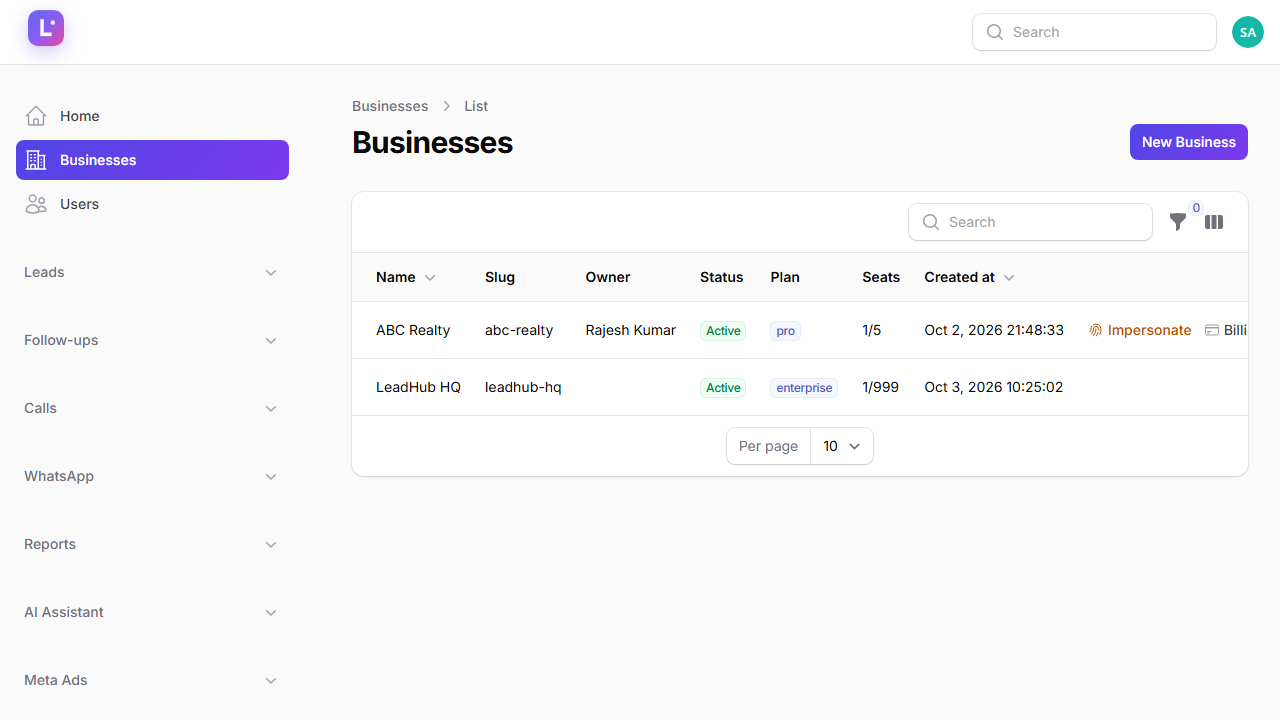
Internal workspace "LeadHub HQ" — the install's own workspace for selling the product — must never be treated as a client. It is excluded from the onboarding pipeline by its settings.internal.crm_hq marker.
Users & agency staff
- Users (
/super-admin/users) — search any user, see their primary workspace, suspend or promote. The Super Admin toggle grants platform access; keep the list short. - Agency Team (
/super-admin/meta-ads/agency-team) — create agency staff accounts (account manager, ads specialist, creative specialist, QA reviewer, support agent) and use the one-click Enable/Disable launch access toggle. That toggle adds or removes only theqa_reviewerrole — the sole carrier ofmeta.campaign.launch.
The client onboarding pipeline
- Client Onboarding dashboard — work the stuck list first: open a client
(
/super-admin/meta-ads/client-onboarding/{tenant}) to see their step-by-step progress, the internal Zodiac Tech checklist (CRM configuration → sales process review → campaign setup → creative → tracking → QA → launch → monitoring) and the launch-readiness badge. - Request Action pings the client to continue; signed onboarding links (
/guided-onboarding/{tenant}) are valid for 72 hours. - If a client's progress looks wrong after a migration, rebuild state with
php artisan leadhub:guided-onboarding-sync(backfill) — never edit step rows by hand.
The whole flow, with SLAs and ownership, is in the Client delivery playbook; the mechanics are in Client onboarding dashboard and How guided onboarding works.
Billing console
Sidebar → Billing:
- Blueprint & Revenue (
/super-admin/billing) — MRR, ARR, churn, subscription breakdown, revenue by plan. - Agreements — the commercial agreement per client (plan, price, entitlements).
- Commercial Billing — invoices, payments and Change Requests (a plan change requires new authorization; the system never fakes an instant upgrade).
- Providers & Settings (
/super-admin/billing/commercial-providers) — Razorpay and Cashfree credentials (stored encrypted) and gateway settings.
Price and entitlements are separate Changing what a client pays and changing what they may use are different fields. Provider debits always equal the renewal invoice and the agreement's grossRecurringAmount() — never hand-edit an amount to "fix" a mismatch; correct the agreement. See Billing overview and Payment providers.
Mobile app fleet
- Android App → Devices (
/super-admin/android-devices) — every registered device, heartbeat and capability snapshot. - Mobile & app login (
/super-admin/settings/mobile-app-login) — platform defaults for email/phone password, email/SMS/Firebase OTP; workspaces can override. - FCM push is bring-your-own-Firebase and optional; tokens arrive from the app's
app-configcall. Give clients the demo APK for UI review:demo-apk/LeadHub-Demo-UI-Review.apk(offline mode, bundled fixtures, no server). See Mobile & app settings and Push notifications (FCM).
System settings
Sidebar → Settings (the cluster's single sidebar entry, /super-admin/settings):
| Section | What it holds |
|---|---|
| General overview | Landing page content, marketing site |
| Branding / Email branding | Platform name, logo, colours, email headers |
| Meta Developer | Meta app id/secret, webhook config, health card |
| Mobile app login | Platform mobile-auth defaults |
| Script settings | Backup toggle, operational switches |
| System Health | Scheduler/queue/database checks |
| Backups | Run and download backups |
| Modules | Enable/disable product modules |
| reCAPTCHA | v3 keys and which forms are guarded |
| Locales / Static pages | Translations, terms/privacy pages |
| Updates | Version check and update flow |
Operating rules
- Cron and queue are the platform's heartbeat. WhatsApp sweeps, reminders, billing lifecycle,
Meta health pings and scheduled reports all ride
php artisan schedule:runevery minute plus a queue worker. If everything looks "quietly broken", check cron first — Cron & queue workers. - Audit before you touch. Erasure, impersonation and suspension are audited; use the audit log before and after any destructive action.
- The SA panel also hosts your own CRM (the HQ workspace) — Leads, Follow-ups, Calls, Reports and AI assistant for the platform team's own selling.
Related guides
Was this page helpful?
Thanks — noted. ✦