Quick start (15 minutes)
The shortest honest path from a fresh workspace to your first real lead visible in the CRM — five steps, fifteen minutes, deep links where you need them.
Quick start (15 minutes)
This is the fastest path that actually works: finish the essential setup, connect Meta, push one test lead through, and see it in Leads. Fifteen focused minutes — the optional steps (WhatsApp, team, mobile) come after.
Who this is for: the workspace owner doing initial setup.
Prerequisites: you can sign in at /admin/login (see Your first login),
you administer the Facebook Page your ads run from, and you know which Meta ad account you use.
Step 1 — Fill in the business basics (3 min)
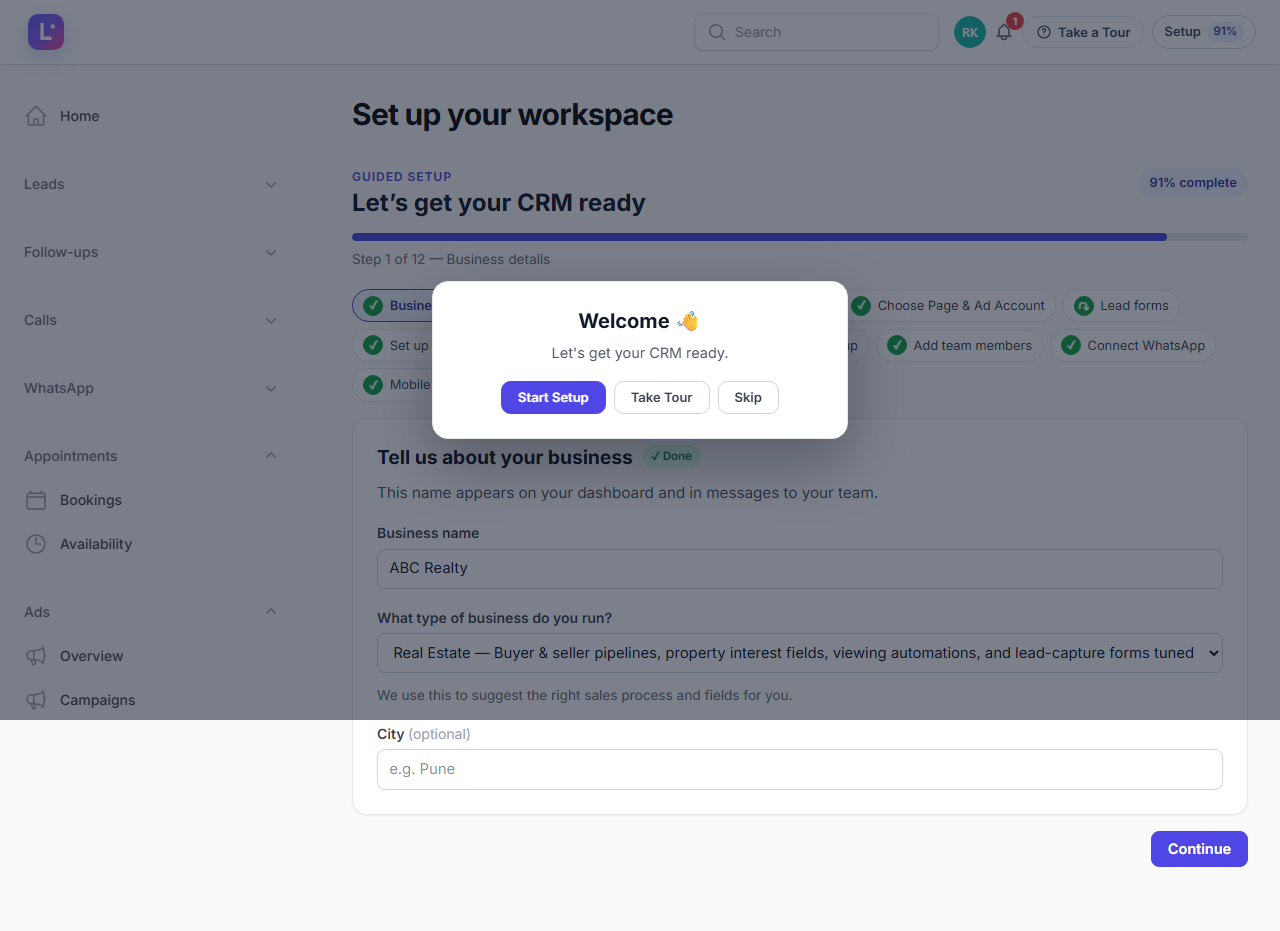
- Open the Setup chip in the topbar →
/admin/guided-setup. - Complete Business details (name, type, city) and What type of business (your industry).
- Click through to Connect Meta and stop there for now.
Expected result: the setup progress moves past the first two steps the moment the data is saved — progress is derived from backend state, never from clicking.
Step 2 — Connect Meta and pick your assets (5 min)
- On the Connect Meta step, start the Facebook OAuth flow and approve the requested permissions for your Page and ad account.
- On Choose Page & Ad Account, select the Facebook Page that receives your leads.
- On Lead forms, select which lead forms may ingest into the CRM.
- No forms yet? Skip and return later — the step auto-completes once forms are selected.
- Map the form fields to CRM fields (name, phone, email are matched automatically; fix anything that landed in the wrong column).
Expected result: the Meta connection shows healthy and your selected Page, ad account and forms are listed.
Only selected forms ingest Leads arrive only from the forms you tick here. This is deliberate — a shared ad account with campaigns you don't run cannot pollute your CRM. Deep dive: Connect Meta (Facebook) and Lead forms & mapping.
Step 3 — Sales process and routing (3 min)
- Continue to Set up your sales process — either install an industry pack or accept the default pipeline stages.
- On Lead assignment, choose how new leads are distributed: off (unassigned), one owner, or a round-robin list of agents.
- On Follow-up setup, keep the defaults (create a task + notify) unless you have a reason not to.
Expected result: a pipeline exists with stages, and new Meta leads will land with the routing you chose.
Step 4 — Push a test lead (2 min)
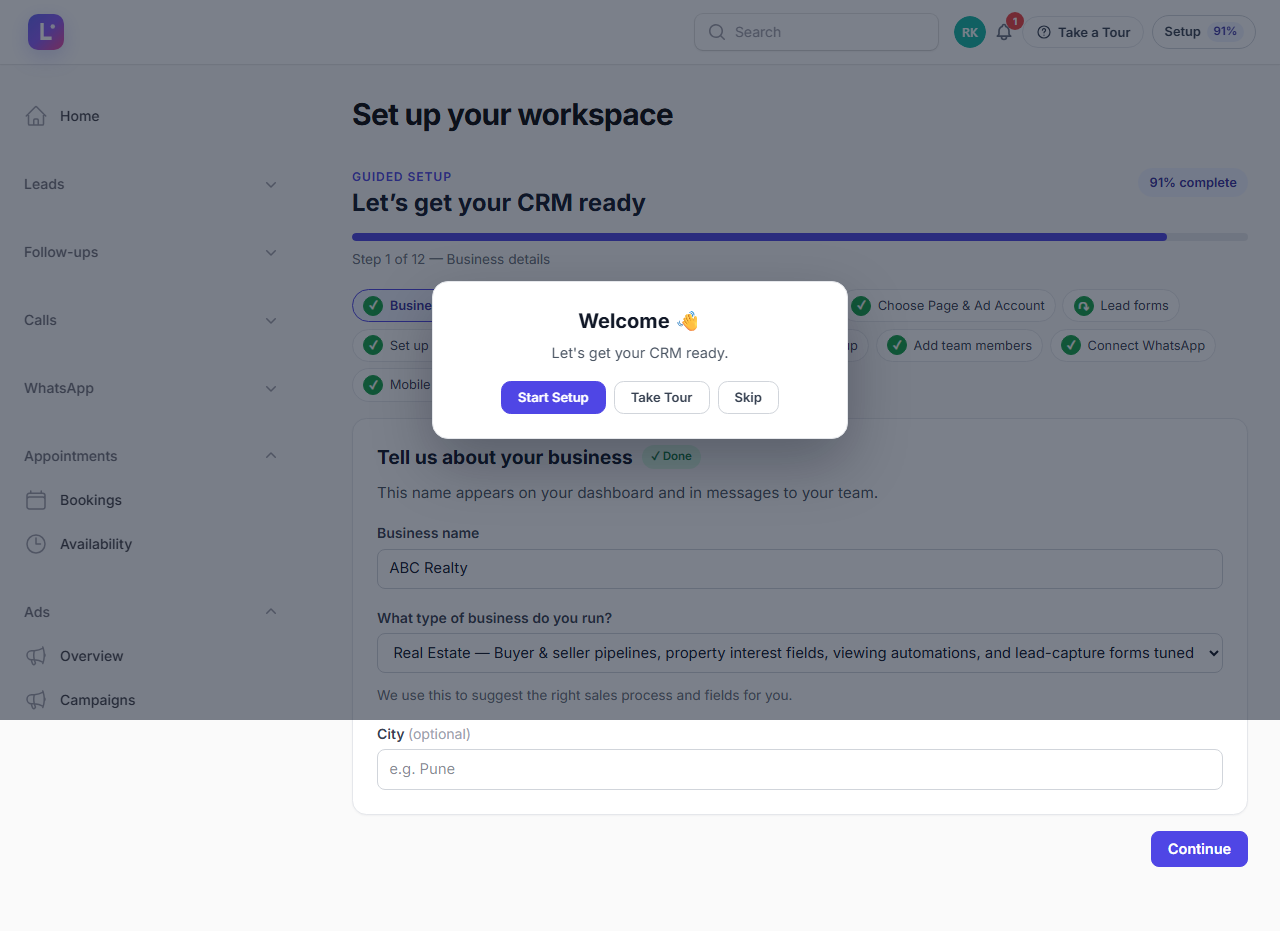
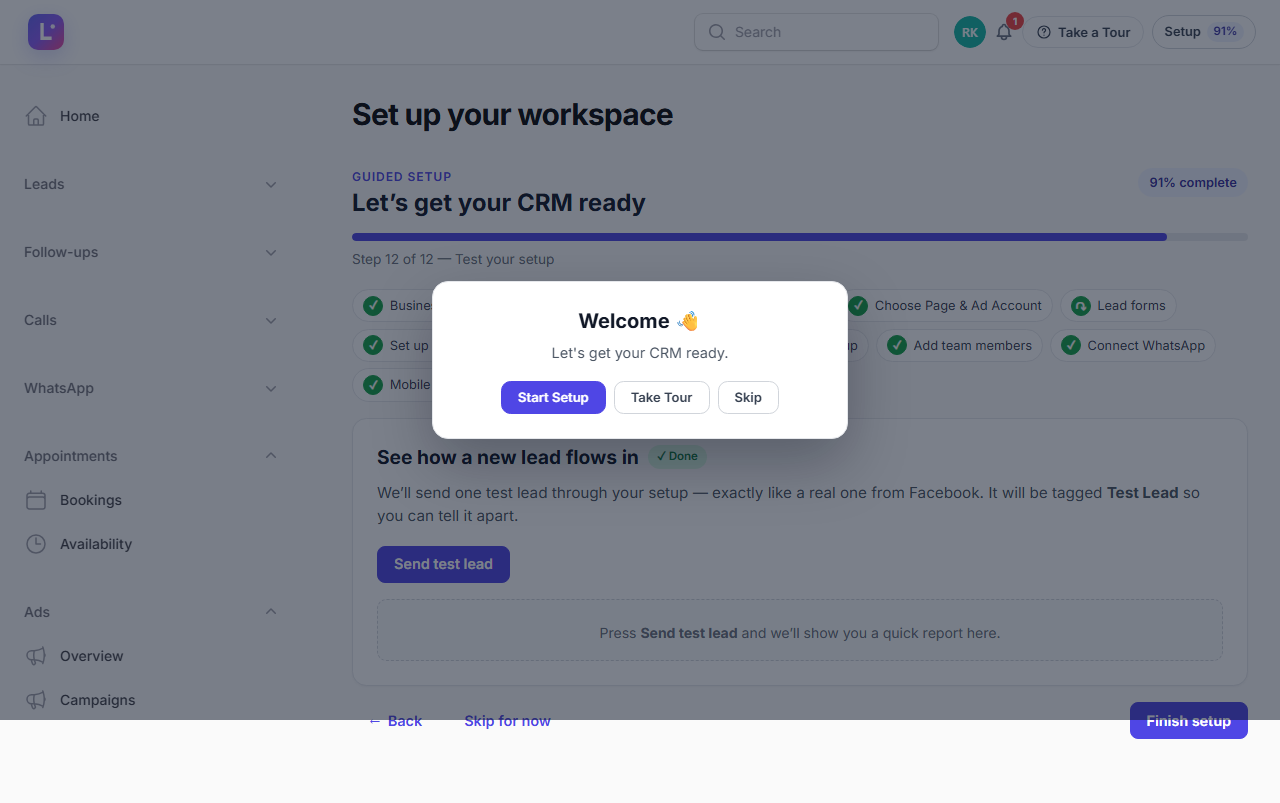
- On Test your setup, use the built-in test to simulate a lead — or submit your live Meta lead form once with your own details.
- When the test lead is confirmed received, you're done with the critical path.
- Team, WhatsApp and mobile app remain optional steps — skip them for now and finish later.
Expected result: the test lead check turns green and the lead exists in the CRM.
Step 5 — See it in Leads (2 min)
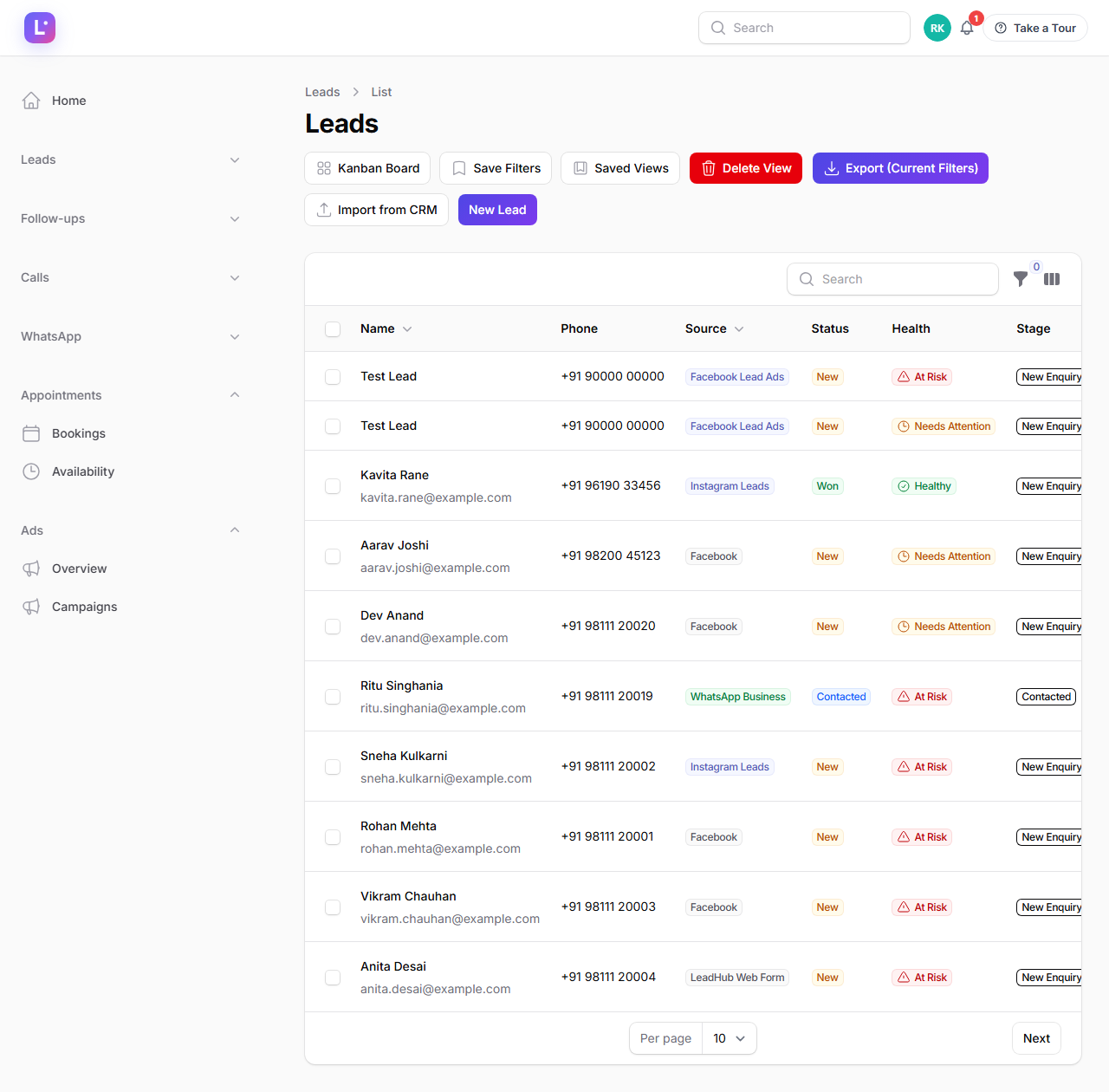
- Open Leads in the sidebar (
/admin/leads). - Find your test lead at the top of the list. Open it — this detail page is the Lead 360 view.
- Check the source shows Meta, the stage is the first pipeline stage, and the assignment is what you configured.
- Optional: click Call lead to check click-to-call, and Add note to leave a first note.
Expected result: you are looking at a real lead, from a real form, inside the workspace. The loop works. Now make it live.
What to do next (not in the 15 minutes)
| Next | Why | Guide |
|---|---|---|
| Add your team | Agents can only work leads once they exist | Add team members |
| Connect WhatsApp | Automation and templates need the connection first | Connect WhatsApp |
| Install the Android app | Calling and follow-ups on the move | Mobile app setup |
| Learn the daily loop | So leads don't sit untouched | Sales Agent |
| Finish & go live | Turn off the demo/skip state honestly | Finish & go live |
Common mistakes
- Connecting Meta with a personal account that has no Page rights. Use a Facebook account that is an admin of the Page and has access to the ad account.
- Selecting every form in a shared ad account. Select only your forms.
- Leaving assignment off and wondering why nobody calls. New leads sit unassigned until you pick a routing mode.
- Testing with a form you did not select. It will not ingest, by design.
Related guides
- Client onboarding from zero — the full, unhurried version.
- Test your setup
- How a Meta lead becomes a CRM lead
- Leads — the complete leads guide.
Was this page helpful?
Thanks — noted. ✦